Connect your Hostfully account to b0arding
We partner with vacation rental property management system software (PMS) companies to make the distribution and advertising of your listings easy and fast.

Hostfully is our partner and the All-In-One b0arding & Vacation Rental Management Software.
Here you can work smarter and grow your business by utilizing powerful tools designed to save your time.
On Hostfully
1 Step:
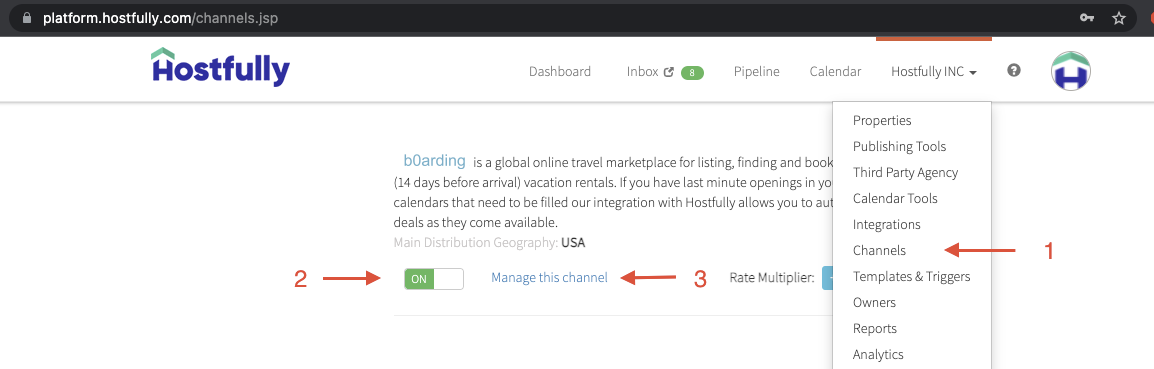
Go to Hostfully Channels. Scroll to b0arding and switch ON.
2 Step:
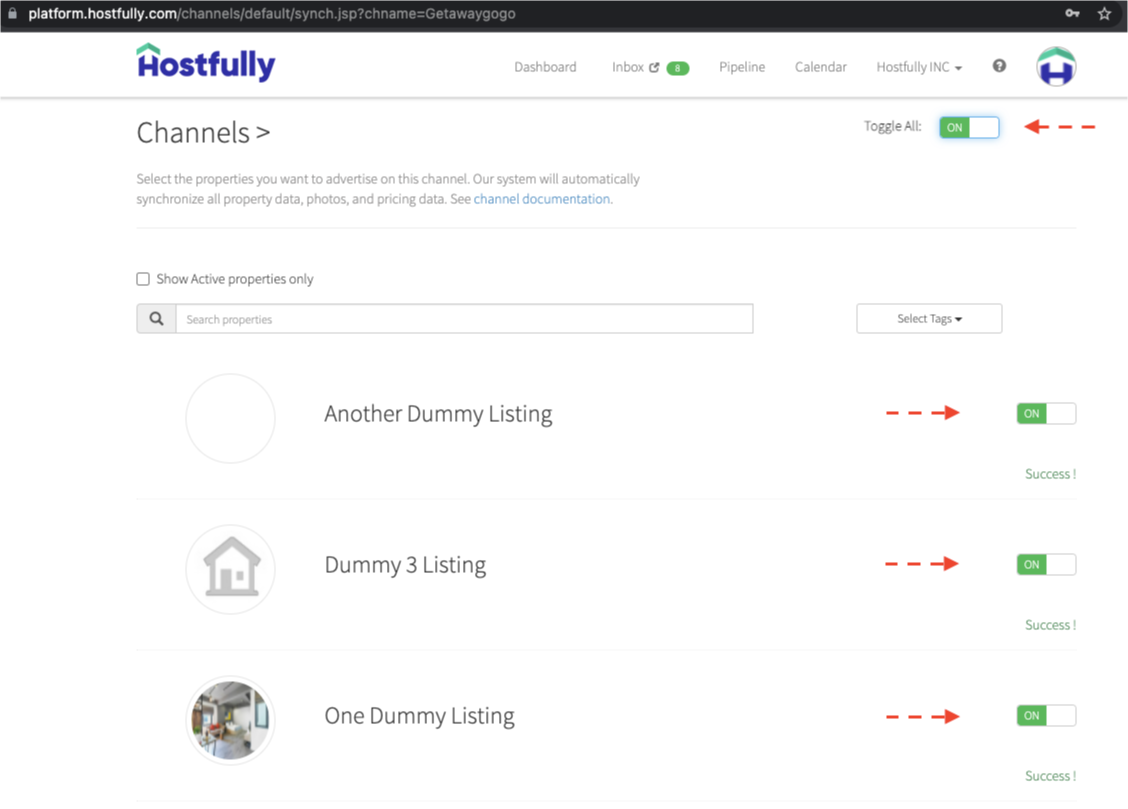
Click on "Manage this channel" link (#3 in above screenshot) then toggle ON to either add all properties (Toggle All) or individual properties to b0arding.
3 Step:
Go to Agency Settings and copy your Hostfully Agency UID at the bottom of the page. (instructions)
On b0arding
1 Step:
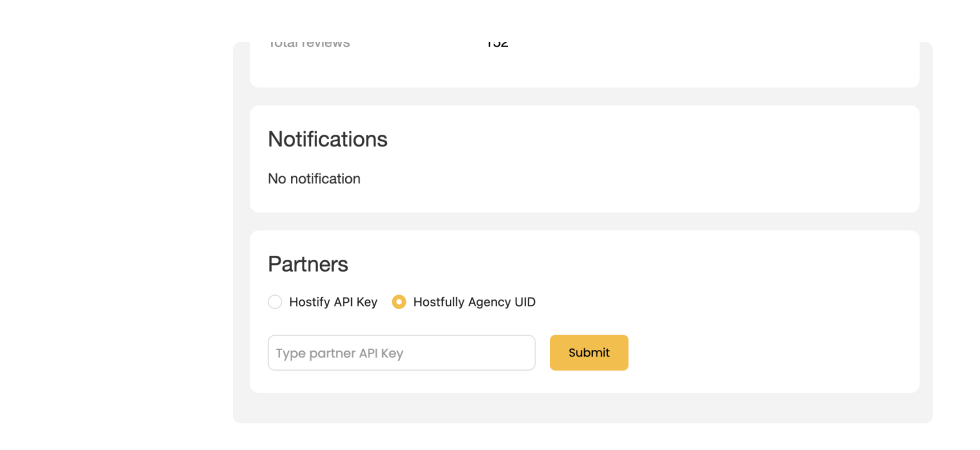
On your host dashboard, paste an Hostfully Agency UID in the input and click on the button “Connect”.
2 Step:
You will see a connected UID, which means your Hostfully account is connected to b0arding.